Aqara Camera G100 First Look: It Pairs as HomeKit, Not Matter
Some links are affiliate links. I only recommend gear I've tested myself; buying through them supports the site at no cost to you.
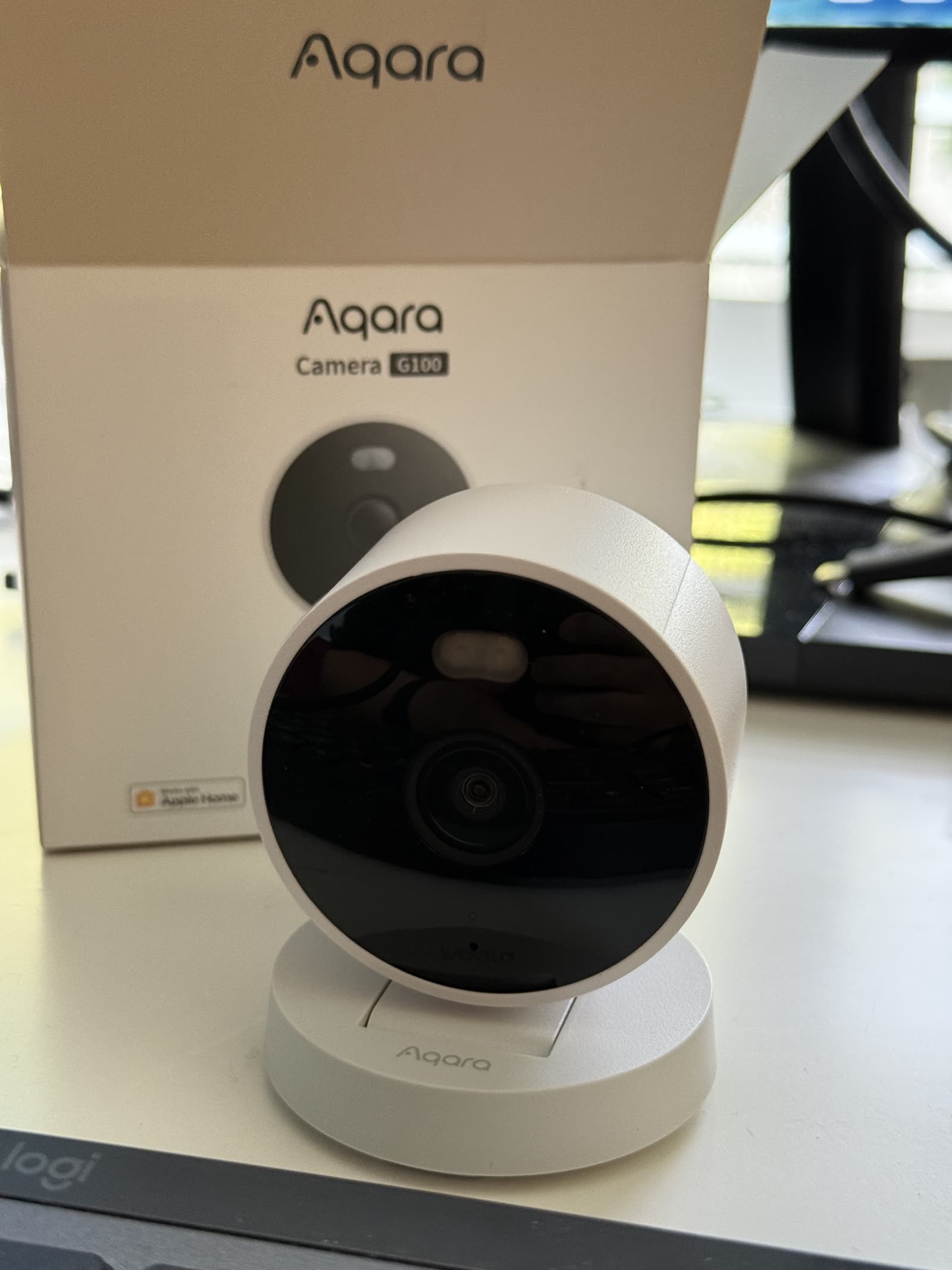
The Aqara Camera G100 paired into Apple Home as a plain HomeKit accessory over 2.4 GHz Wi-Fi; a network scan shows HAP 1.1 rather than Matter. The box has a USB-C cable but no power supply, the setup code lives only on the bottom of the camera, and it's now watching my garage while I put HomeKit Secure Video through real testing for a full review.
Jump to where to buy →I unboxed an Aqara Camera G100 today and paired it into Apple Home. It’s the only camera currently in this home. Before it, the most recent camera here was the eufyCam 2 kit.
In the box
The camera in a bag, a USB-C cable, one mounting screw with a wall anchor, and a manual that unfolds into a single enormous sheet.
No power supply. The cable is USB-C on both ends and you bring your own 5V/1A adapter, which I didn’t realize until the moment I needed one. I powered it from a MacBook port for setup. Budget for an adapter if you don’t have a spare.
The flexible arm holds its angle and articulates smoothly, and the whole thing has an IP65 rating printed on the label, along with the model number, CH-C08E. The USB-C inlet gets a removable silicone sleeve that wraps over the plug so the connection stays sealed while powered.
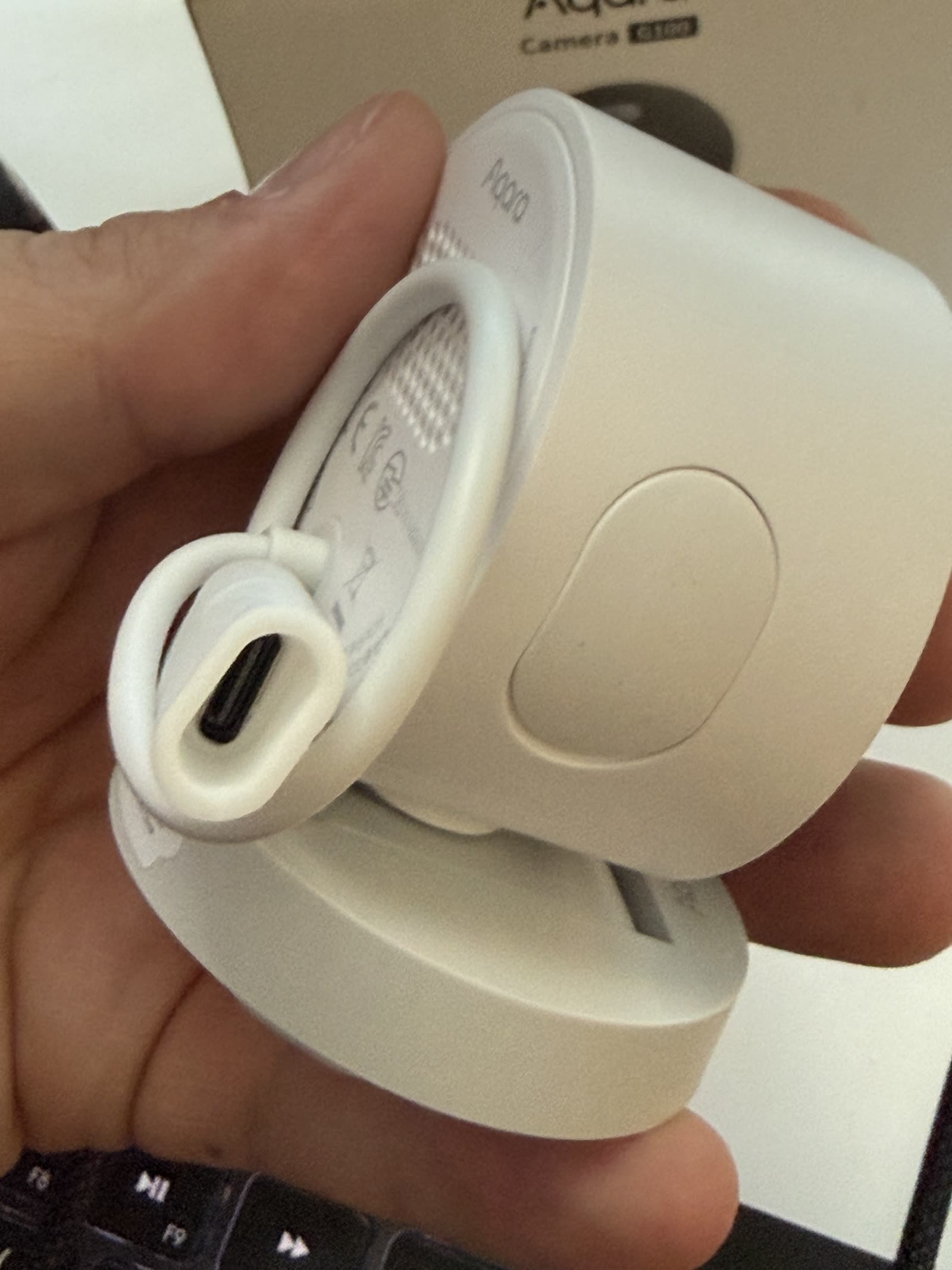
Photograph the setup code before you mount it
The pairing code is printed on the bottom of the camera. I checked the manual and every face of the box: no second copy anywhere, unlike the IKEA Matter gear, which repeats the code inside the booklet.
Mount the camera on a wall or ceiling and that code faces plaster. Take a photo of the bottom before the screwdriver comes out, or you’ll be unmounting it the next time it needs a re-pair.
Setup
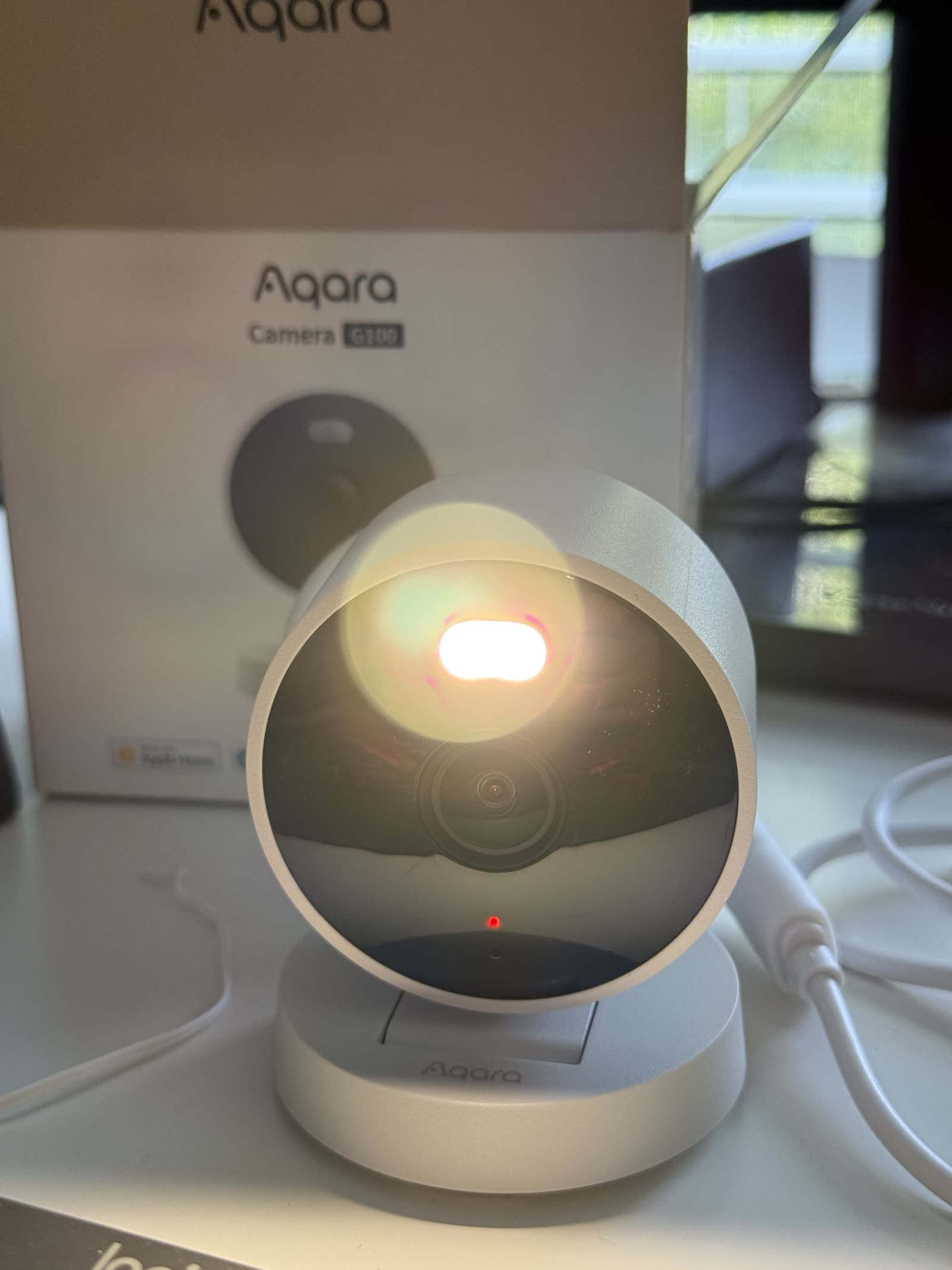
Power brings up a yellow indicator. I scanned the code in the Home app, heard the IR filter click, and then the camera spoke out loud: “ready to connect, please open the app,” then “network connecting, please wait.”
The “Connecting” phase ran long. Long enough that I started reading the manual sheet while it worked. It got there, said “welcome aboard,” and joined the 2.4 GHz network.
One repeat annoyance: the accessory couldn’t be renamed during setup, the same bug I hit on the GRILLPLATS day one. I’m on the iOS 27 beta, so I’m blaming the beta until release iOS proves otherwise. Renaming worked fine after setup completed.
HomeKit, not Matter
The box carries four ecosystem badges: Apple Home, Samsung SmartThings, Alexa, Google Home. Despite that spread, this isn’t a Matter camera, at least not as it pairs today.
The setup code carries the HomeKit badge, and a scan of my network shows the camera
advertising as Camera-G100-366A under the HomeKit protocol, HAP version 1.1, device
category 17, which is HomeKit’s IP camera class. Nothing new appeared on the Matter side
of the scan. The SmartThings, Alexa, and Google support rides Aqara’s own cloud
integrations instead.
For an Apple Home user that’s the better arrangement right now: plain HomeKit is what gets you HomeKit Secure Video, and Matter camera support in Apple Home remains untested territory in this house.
Firmware updates don’t come through Apple Home, though; they only happen in the Aqara app. My IKEA Matter sensors surface their updates right in the Home app, so a camera that needs the vendor’s app for patches is a step backward on that one axis.
The Aqara app does have a HomeKit mode that skips the account signup entirely. No login, and basic settings still work. You’ll need the app on an update day, but so far nothing has asked me to hand Aqara an email address.
Recording options and the HSV prompt
Apple Home offered the standard camera choices for home and away: Off, Detect Motion, Stream, and Stream and Record.
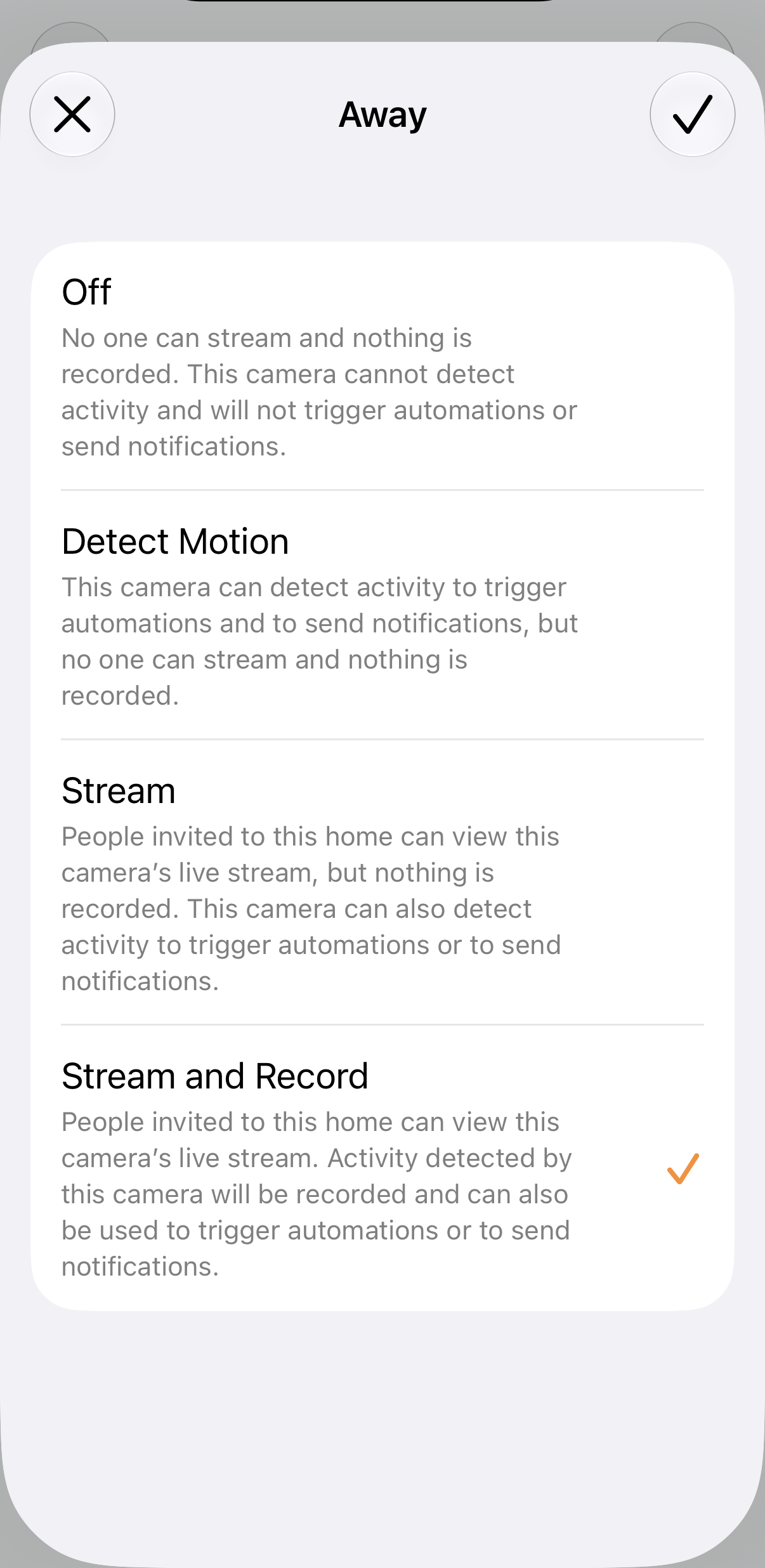
I picked Stream and Record. It’s going in the garage, where I’m fine with a camera that records.
During setup a HomeKit Secure Video prompt flashed up and dismissed itself before I could touch it. Checking the camera’s settings afterward, HSV had enabled itself and recording is on. The recording pipeline is the core of what the eventual review has to test.
In the garage
Out there, IP65 covers the dust and the occasional splash. The spec I’ll be watching is temperature: Aqara rates the G100 for 14°F to 104°F operation, and an uninsulated garage can leave that range in both directions.
The full review comes after the camera has months out there: night vision in a dark garage, HSV clip quality on a 2.4 GHz connection, summer heat against that temperature rating, and whether it’s still answering in six months.
Where to buy, tested picks
Advertisement. These are affiliate links. Verdicts come from my own use, and anything I haven't tested is labeled as such. Buying through them costs you nothing extra.
Common questions
Does the Aqara G100 work with Apple Home and HomeKit Secure Video?
Yes. It pairs directly into Apple Home as a HomeKit camera, and the G100 supports HomeKit Secure Video, which needs an Apple home hub and a paid iCloud+ plan. HomeKit caps recording at 1080p even though the sensor is 2K.
Is the Aqara G100 a Matter camera?
Not as paired here. A local network scan shows it advertising the HomeKit protocol (HAP 1.1) rather than Matter. The SmartThings, Alexa, and Google Home support on the box runs through Aqara's own integrations.
Does the Aqara G100 come with a power supply?
No. The box has the camera, a USB-C cable, a mounting screw with anchor, and a manual. You supply your own 5V/1A USB-C power adapter.

Runs the homekit.reviews test home, a real mixed Matter/Thread/HomeKit house. Everything reviewed here was set up, paired, and lived with. See how I test →