Meross Matter Thermostat Review: Check Your Wiring First
Some links are affiliate links. We only recommend gear we've tested; buying through them supports the lab at no cost to you.
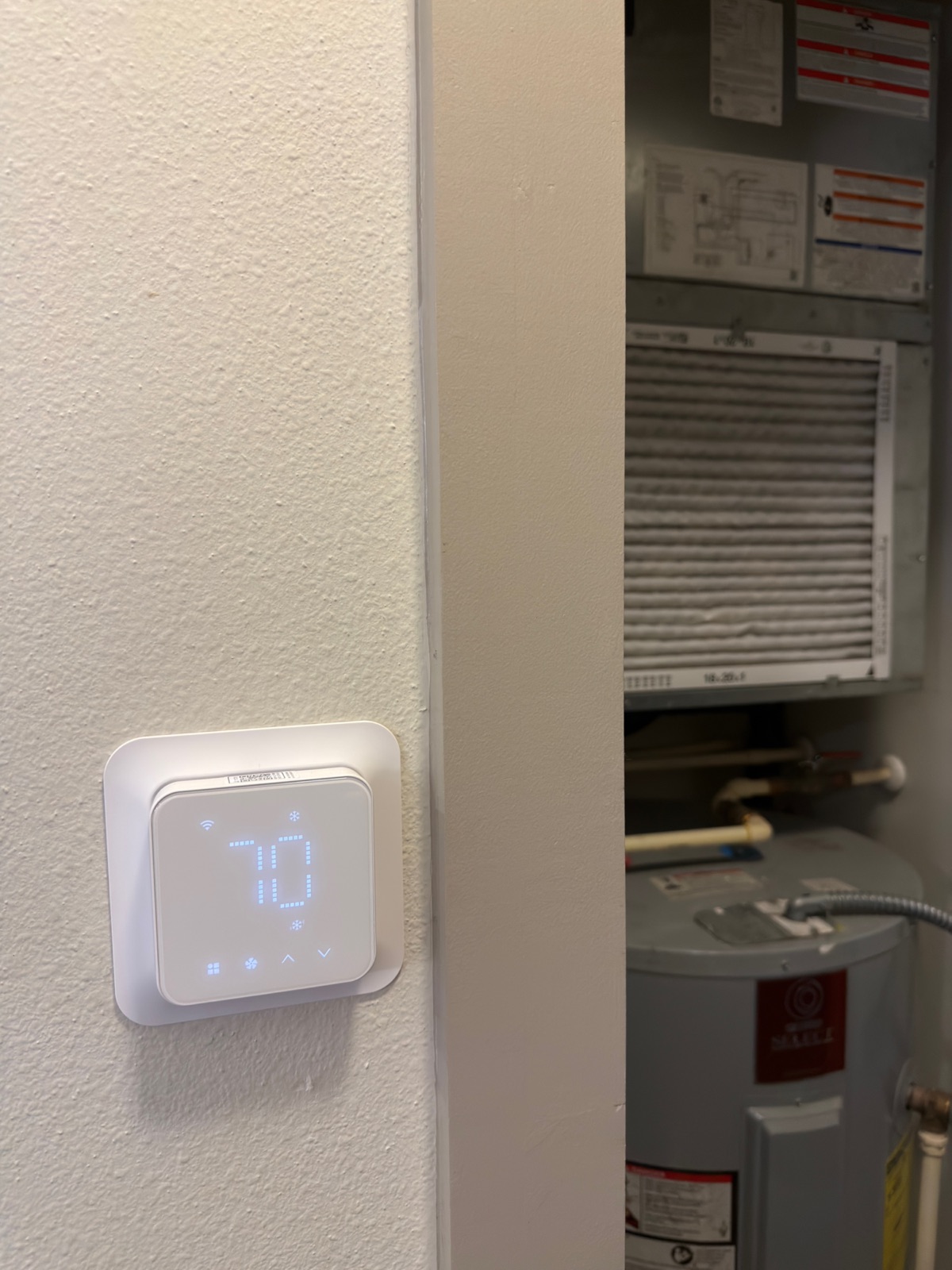
The Meross MTS300 is a genuine Matter thermostat that has run reliably in my Apple Home since January 2026, despite Apple Home displaying it under the name 'Smart Wi-Fi Thermostat.' The catch is not the product, it's fit: it needs a C-wire, and it does not work with 110/120/240V electric baseboard heat, millivolt systems, or two-wire setups. Open your thermostat and identify your wires before you order, because that single check is the difference between a good buy and a return.
Most thermostat reviews open with features. This one opens with a wiring diagram, because that’s the part that decides whether you keep it.
The Meross Matter thermostat has been running my HVAC since January 2026 and I have no real complaints about it. But it is one of the most-returned smart home products I’ve looked at, and once you understand why, the whole review reorganizes itself around a single question: what’s behind your existing thermostat?
The compatibility problem, first
Meross says this thermostat suits about 95% of HVAC systems, heat pumps, air conditioners, furnaces, boilers, dehumidifiers, humidifiers. That’s true and it’s a lot of coverage. The part that sends units back is the other side of the sentence:
It requires a C-wire, and it is not compatible with:
- 110V / 120V / 240V electric baseboard heaters
- Millivolt systems (many older gas fireplaces and wall heaters)
- Two-wire systems
The C-wire, the “common” wire, is what continuously powers a smart thermostat. Older installations frequently don’t have one run to the thermostat location, and no amount of clever software fixes a wire that isn’t in the wall.
So before you buy anything: kill the power at the breaker, pull your current thermostat off its plate, and photograph the terminals. You’re looking for a wire in the terminal marked C. If there isn’t one, your options are running a new wire, fitting an add-a-wire adapter, or choosing a battery-powered thermostat instead, decide that before ordering, not after.
Here’s the back plate of the Honeywell unit I replaced, before I disconnected anything:
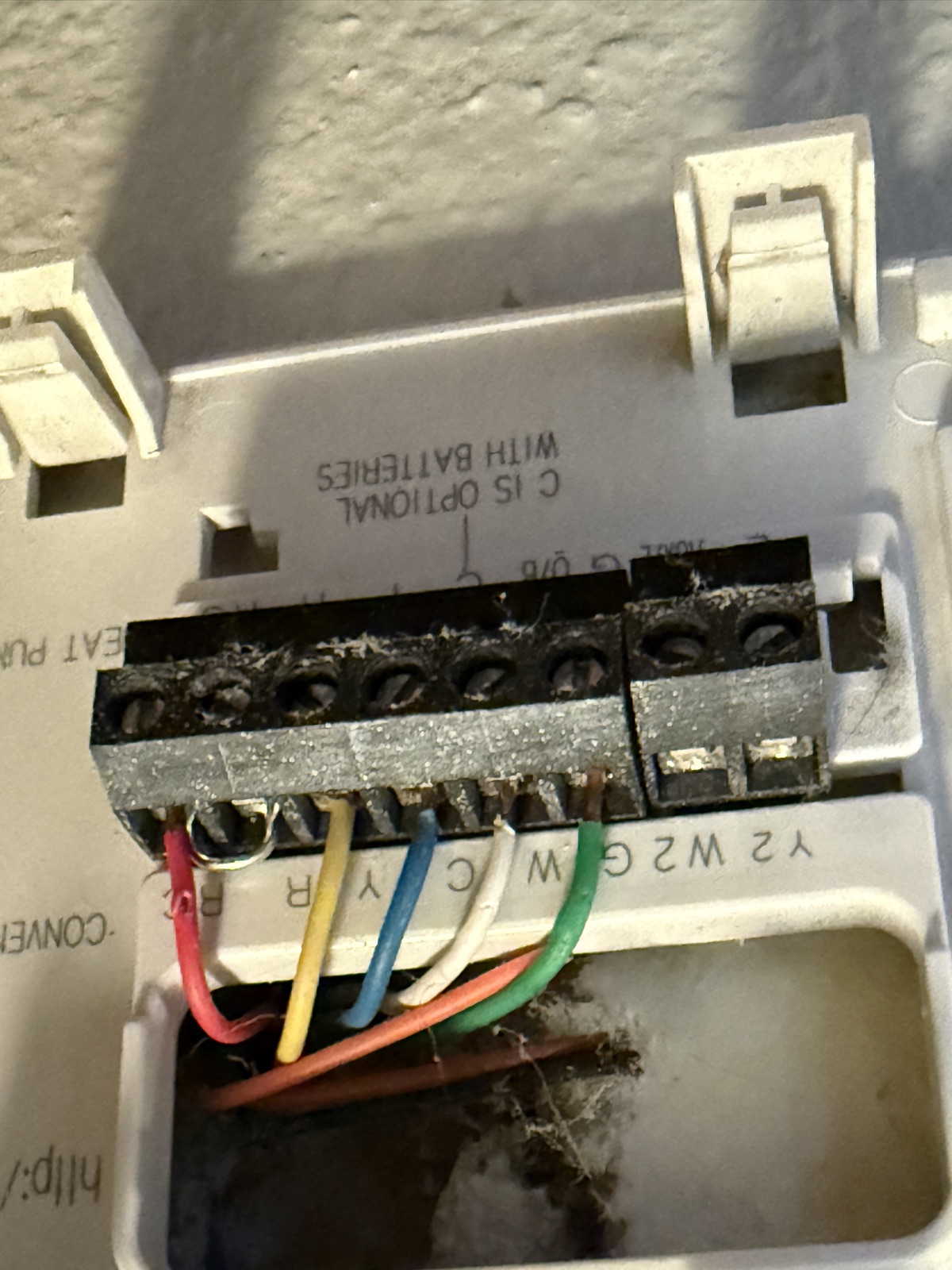
A blue wire is sitting on C, which is the answer I needed. Note what’s printed on the plate itself, just to the right of the terminals: C IS OPTIONAL WITH BATTERIES. That line explains why so many houses fail this check. Older thermostats could run on batteries and ignore the common wire entirely, so plenty of installers either never pulled one or left it tucked unused in the wall. A smart thermostat has no such option, because it needs continuous power.
That five-minute check is the entire difference between this being a good purchase and a frustrating one. It’s not a product flaw. It’s a fit problem that the buying process doesn’t force you to confront.
The install
About twenty minutes, start to finish, including taking the old thermostat off the wall.
The single thing that makes a thermostat swap easy is labelling. The photo above is the old Honeywell plate before I touched it, and that photo is itself half the technique. As each wire came off I tagged it with the terminal letter it had been sitting in, so wiring the Meross up afterwards was a matter of matching letters rather than working out what a previous installer had intended. Thermostat wire bundles are colour-coded by convention rather than by rule, and the convention gets ignored often enough that the colours alone aren’t safe to trust. Take a photo of the old terminal block before you disconnect anything, then label as you go.
Kill the power at the breaker first. The wires are low voltage, but the equipment they control isn’t.
The trim plate saved me a job
The thermostat ships with a trim plate, sometimes called a wall plate, and it does more work than the spec sheet suggests.
Pull an old thermostat off a wall and you’re usually left with a rectangle of unfaded paint, two or more screw holes, and often a ragged opening where the wire bundle comes through. Every one of those has to be patched, sanded and touched up unless whatever replaces it happens to be bigger.
The Meross plate is wider and taller than the thermostat body, so it covered all of it. That meant no filler, no sanding and no trip to match a paint colour mixed years ago. The old thermostat’s footprint is hidden completely and the edges sit flush against the wall.
Worth checking for on any thermostat you’re considering, because the alternative is an afternoon of patching over a fifteen-minute install.
It’s genuinely Matter, whatever Apple Home calls it
Worth clearing up, because it’s confusing in the app: mine appears in Apple Home under the name “Smart Wi-Fi Thermostat,” which makes it sound like a plain Wi-Fi accessory.
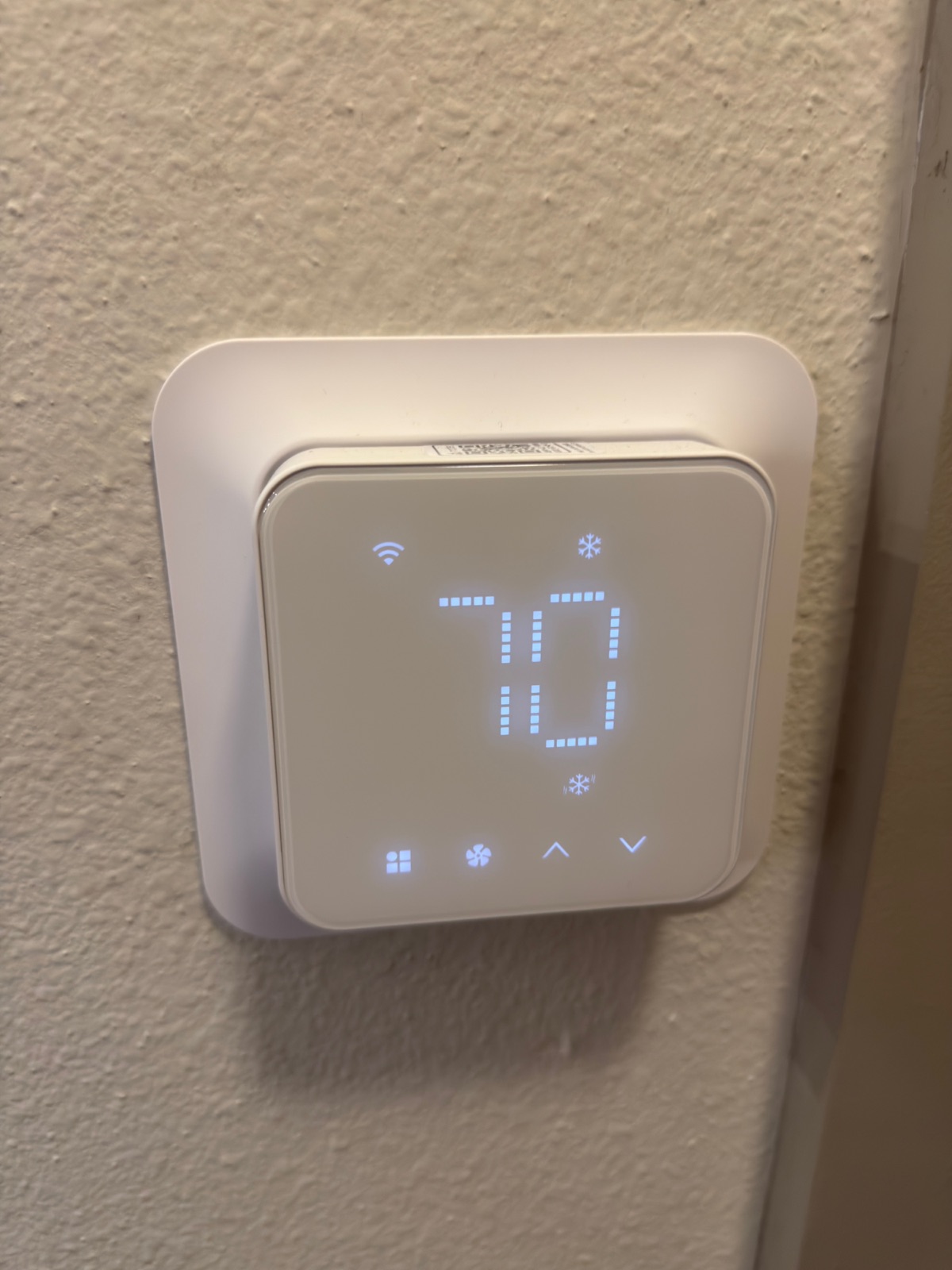
The display reinforces it, since there’s a Wi-Fi glyph in the top left and no mention of Matter anywhere on the unit. Reading the accessory’s own data, it reports as model MTS300 with a Matter vendor ID of 4933 and a Matter product ID of 57345, currently on firmware 9.3.2. It’s a real Matter device. The display name is just a name.
This matters practically: as a Matter accessory it can be shared into other ecosystems alongside Apple Home rather than being locked to one app, and it speaks a standard the rest of your house can grow into.
Living with it
It holds a setpoint and reports state accurately in Apple Home, currently showing “Cooling to 68°” as I write this, which is exactly what the schedule asked for. Setpoint changes from the Home app take effect promptly, and I haven’t had it drop off and need re-pairing.
The Apple Home integration gives you what you’d expect: current temperature, mode, target temperature, and inclusion in automations and scenes. If you want the deeper scheduling, that lives in the Meross app, the same split as their other accessories, where the core control is standard and the extras are vendor-side.
Hands-on notes
Purchased January 17, 2026 (White, US version) and installed on my own HVAC. It has been the thermostat for the house since, roughly six months at the time of writing.
The swap took about twenty minutes including removing the old unit, and I labelled each wire with its terminal letter as I disconnected it.
It currently sits in Apple Home as “Smart Wi-Fi Thermostat” in the Living Room, reporting model MTS300 on firmware 9.3.2, and shows accurate state, cooling to 68°F as I write. No re-pairing has been necessary since setup.
The included trim plate covered the previous thermostat’s screw holes and paint outline completely, so the install needed no patching or touch-up paint.
The thing I’d tell anyone considering it is the wiring, not the software. The product does what it says. The reason people end up disappointed is that they discover their compatibility situation after the box arrives instead of before.
Who should skip it
- Anyone without a C-wire who isn’t prepared to add one or fit an adapter.
- Electric baseboard heat, millivolt systems, or two-wire installs, this is not the thermostat for you, and no configuration will change that.
- Anyone wanting a battery-powered thermostat with no rewiring at all.
Verdict
A solid, genuinely-Matter thermostat that has been dependable for six months, sold into a market where a large share of buyers can’t actually use it. If you have a C-wire and a conventional HVAC system, it’s an easy recommendation. If you don’t know whether you have a C-wire, go find out, that answer, not this review, is what should decide your purchase.
Common questions
Does the Meross thermostat need a C-wire?
Yes. It requires a C-wire and is not compatible with 110V, 120V or 240V electric baseboard heaters, millivolt systems, or two-wire systems. Check your existing thermostat terminals for a wire in the C slot before buying.
Is the Meross MTS300 a Matter thermostat?
Yes, despite Apple Home displaying it under the name Smart Wi-Fi Thermostat. It reports as model MTS300 with a Matter vendor ID of 4933 and product ID 57345.
Where to buy, tested picks
Advertisement. These are affiliate links. We only recommend gear we own and have lived with; buying through them supports the lab at no extra cost to you.