Meross MSG100 Review: Two Years on a HomeKit Garage Door
Some links are affiliate links. I only recommend gear I've tested myself; buying through them supports the site at no cost to you.
The Meross MSG100HK turns an existing garage door opener into a HomeKit accessory in about 15 minutes, and the box includes everything you need, the wiring and the door sensor. After two years of daily use it reports true open/closed state rather than guessing, and works from an Apple Watch or by voice. An 'overtime reminder' that alerts you when the door has been open too long is set in the Meross app, not Apple Home. The universal MSG100HK suits most openers; the MSG150HK exists specifically for Chamberlain-family systems. It's Wi-Fi and HomeKit, not Matter or Thread.
Jump to where to buy →What works
- A physical door sensor reports true open and closed state
- Install took about 15 minutes with everything needed in the box
- Existing remotes and the wall button keep working as before
- Two years of daily use with no re-pair
What doesn't
- Wi-Fi and HomeKit, not Matter or Thread
- Overtime reminder and auto-close sit in the Meross app, not Apple Home
- Neither model works with Security+ 3.0 openers
The Meross MSG100 ships with a physical door sensor, so Apple Home shows what the door is doing instead of assuming it moved when told. Mine has been wired to the opener for two years.
What it is
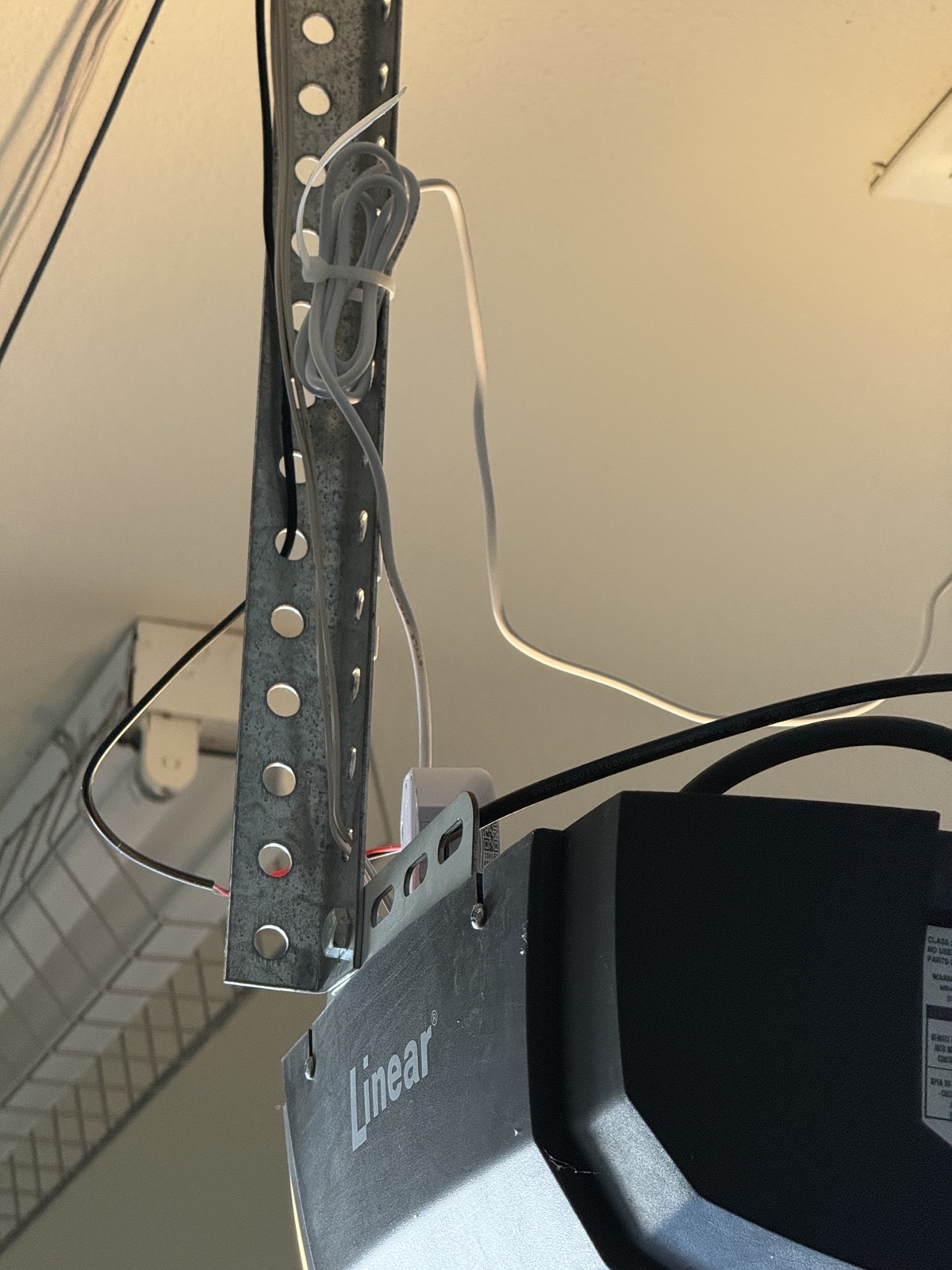
The MSG100 is a companion controller, not a replacement opener. It wires into the terminals on your existing garage door opener’s power head, the same terminals your wall button uses, and adds a Wi-Fi radio plus a door position sensor. Your existing remotes and wall button keep working exactly as before.
Listings get the connectivity wrong: this is a Wi-Fi HomeKit accessory, not Matter and not Thread. Mine reports itself to Apple Home as a Garage Door Opener, model MSG100. There’s no Matter vendor ID on it at all. That’s not a criticism, it just means it joins your network as a plain Wi-Fi device, and it doesn’t need or benefit from a Thread border router.
The install
The box had what the job needed: the controller, the wiring for the opener terminals, and the door sensor. The sensor cable was long enough to route where I wanted it rather than settling for the shortest path.
The two wires land on the same terminals as the wall button, so the button and the existing remotes keep working exactly as they did.
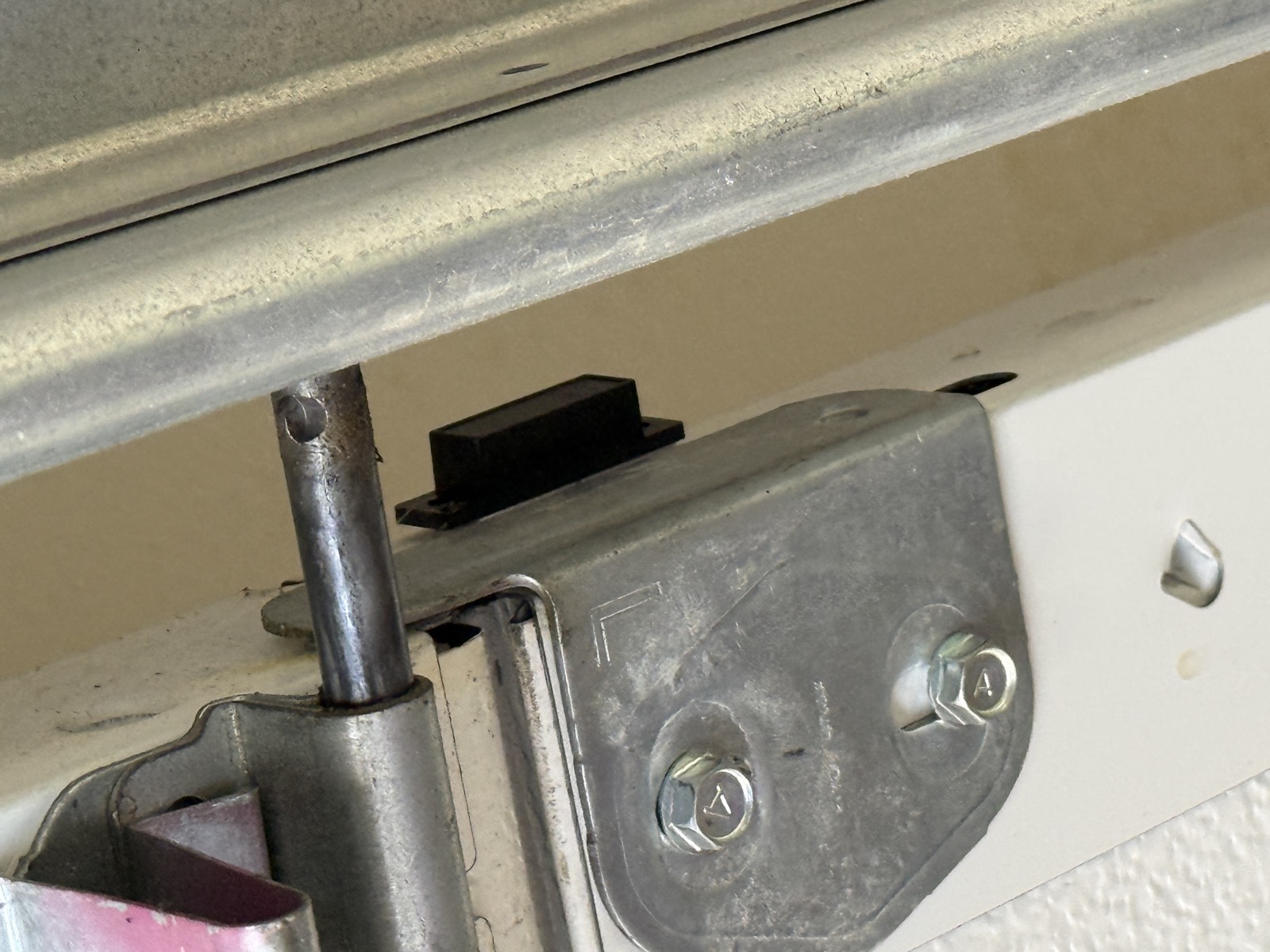
The sensor is what makes the difference between a garage door that reports state and one that only guesses. It mounts on the door itself, with its cable running down the jamb to the controller.
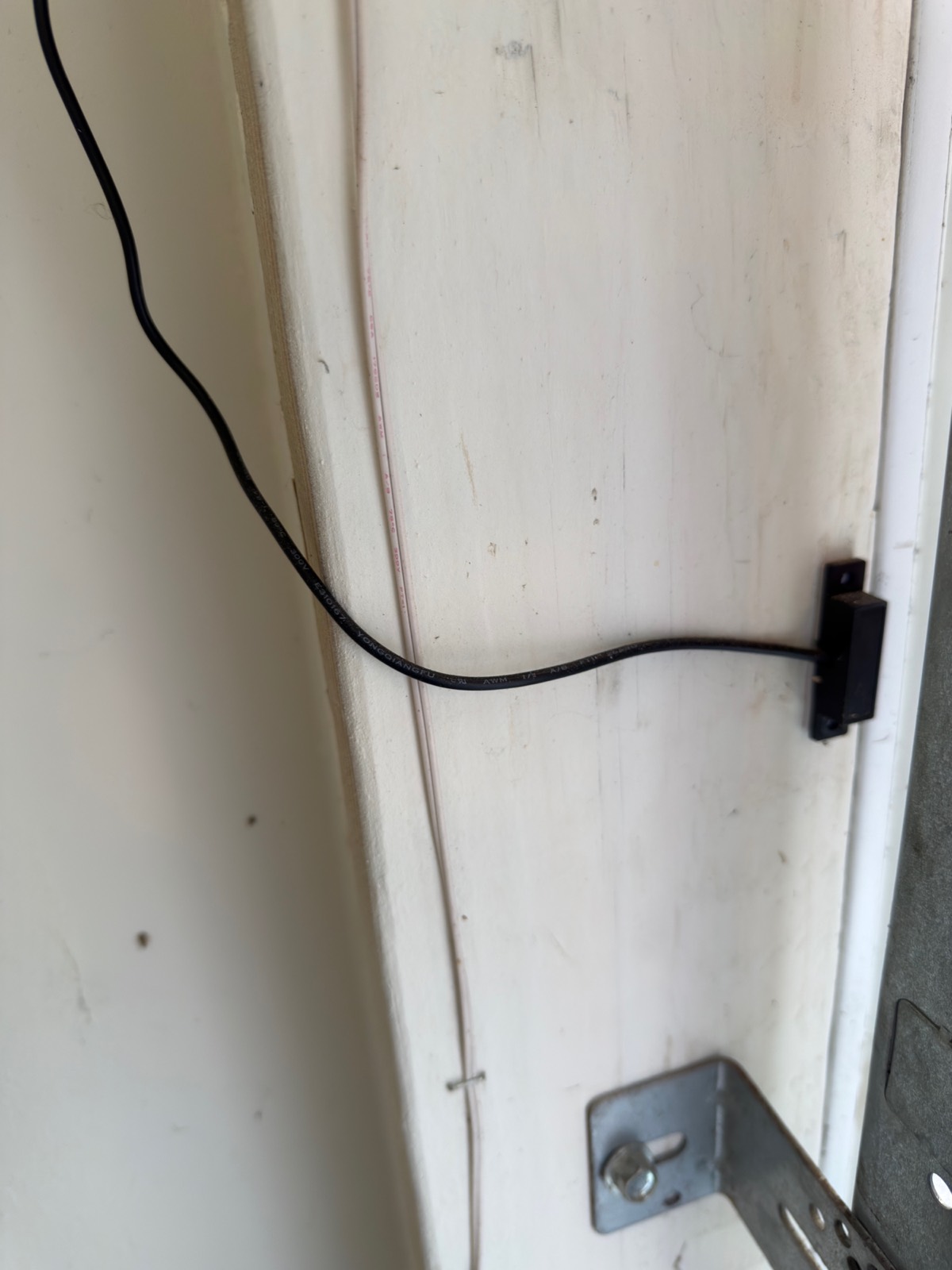
Total time was about 15 minutes, and the only tool I needed was a stepstool.
If you’ve wired a doorbell transformer or swapped a light fixture, this is easier than either. The two wires go on the same terminals as the wall button, the sensor mounts to the top section of the door, and that’s the job.
What it’s like to live with
Two things changed for me: I know the door’s state without checking, and I control it from my wrist.
Because the sensor reports position rather than inferring it, Apple Home shows the true state. I’ve stopped having the “did I close the garage?” conversation with myself.
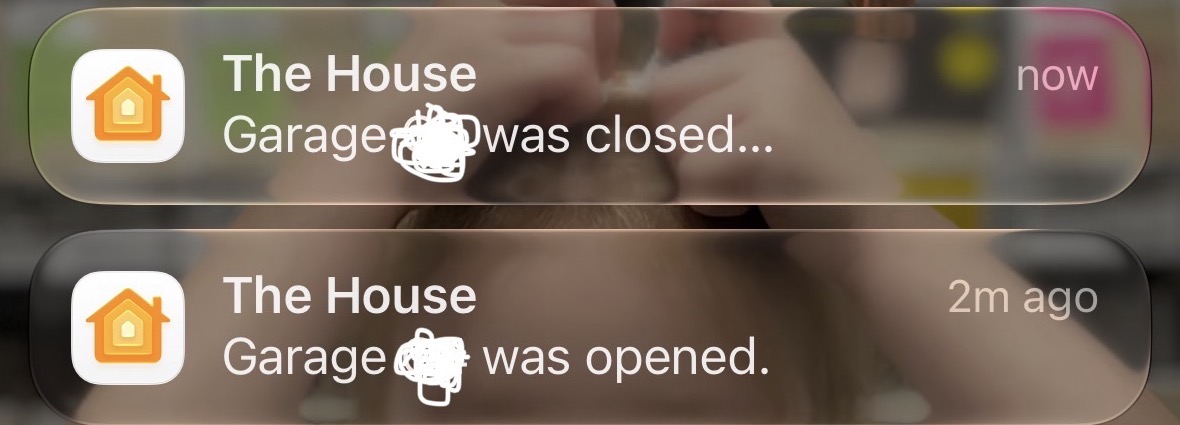
Those alerts come from Apple Home, not the Meross app, because the sensor reports a real state change that HomeKit can act on.
I get a notification when the door has been open longer than 15 minutes. Meross calls this the overtime reminder, and it’s set in the Meross app rather than in Apple Home. That single alert has caught the door left up more than once, usually after carrying things in and getting distracted.
The same screen offers auto-close: shut the door automatically once it’s been open beyond a set time. I’d think hard before enabling that one. A garage door is a heavy powered object, and closing it on a timer means closing it when you aren’t watching. If you do turn it on, make certain your opener’s photo-eye safety sensors are clean, aligned and working (they’re what reverses the door on an obstruction), and leave the closing alarm enabled.
The overtime reminder and auto-close are Meross app features, not HomeKit ones. The core of this accessory, open, close, and true door state in Apple Home, is standard HomeKit and works locally. The scheduling extras ride on Meross’s own app and account. If you want everything to survive the vendor disappearing, build your alerting as a HomeKit automation instead.
The Apple Watch control is the other piece I use constantly. Walking up to the garage with your hands full, raising your wrist or asking out loud beats digging for a phone or a remote. Voice works the same way. HomeKit requires confirmation before closing a garage door remotely, which is the correct trade-off for a heavy moving object.
Hands-on notes
Bought May 6, 2024, and in daily use ever since, over two years at the time of writing. Nothing extra had to be bought or improvised for the install.
It’s currently running firmware 4.2.20 and lives in my Home as a Garage Door Opener accessory. It has never needed a re-pair, and I have deliberately left auto-close switched off.
Things to check before you buy
Match the model to your opener before ordering.
The controller needs a workable Wi-Fi signal at the ceiling of your garage.
Remote access, notifications, and automations all require an Apple home hub, a HomePod or Apple TV. Local control works without one.
MSG100HK vs MSG150HK
MSG100HK and MSG150HK are two different products for two different openers. Buying the wrong one means it physically cannot talk to your opener.
The unit in my garage is the universal wired model, the HomeKit variant Meross sells as the MSG100HK. It reports itself to Apple Home simply as “MSG100”. Everything in this review describes that unit, over more than two years of daily use.
Here’s the decision, straight from Meross’s own compatibility notes:
If you have a Chamberlain, LiftMaster, or Craftsman opener running Security+ 1.0 or 2.0, order the MSG150HK. Meross states it works with the vast majority of those three brands and not with other brands, and on those openers it needs no extra adapter and exposes more of the opener’s native features.
Any other brand takes the universal MSG100HK, which adds smart control to an existing opener by wiring to the wall-button terminals; that is what makes it brand-agnostic, and Meross explicitly points owners of non-Chamberlain openers to it. It’s also the better answer for renters, since nothing about your opener is replaced.
Neither model supports openers on Security+ 3.0, identifiable by a green or white learn button, which Meross calls out as unsupported for the MSG150HK. Check the color of your learn button before ordering anything.
I have not tested the MSG150HK, so I won’t tell you it feels like mine. What I can tell you is that the design decision that makes the MSG100 worth owning, a real door sensor instead of an assumption about door state, is the feature to confirm is present in whichever model you end up buying.
Verdict
This is the rare accessory I’d recommend without hedging. It’s inexpensive relative to replacing an opener, it installs in a quarter of an hour with parts included, and it converts a nagging uncertainty into a solved problem.
The one limitation is that it’s Wi-Fi and HomeKit rather than Matter, so it doesn’t fit a deliberately Thread-first, Matter-only plan. Mine has needed nothing in two years, and the door is reporting Closed as I write this.
Where to buy, tested picks
Advertisement. These are affiliate links. Verdicts come from my own use, and anything I haven't tested is labeled as such. Buying through them costs you nothing extra.
Common questions
Which Meross garage opener should I buy, MSG100HK or MSG150HK?
The MSG150HK is limited to Chamberlain, LiftMaster and Craftsman openers on Security+ 1.0 or 2.0. Any other brand takes the universal MSG100HK, which connects where your wall button does. One is not a newer revision of the other; they serve different openers.
Will it work with a green or white learn button?
No. Those two colors belong to Security+ 3.0 openers, a protocol Meross does not support on these units.
Does the Meross garage door opener need a hub?
No hub is needed for the opener itself, which joins Wi-Fi directly. To reach it from outside your network, get alerts, or run automations, though, your home needs a HomePod or Apple TV acting as the hub.

Runs the homekit.reviews test home, a real mixed Matter/Thread/HomeKit house. Everything reviewed here was set up, paired, and lived with. See how I test →