IKEA MYGGBETT Review: Door State in Apple Home on One AAA
Some links are affiliate links. I only recommend gear I've tested myself; buying through them supports the site at no cost to you.
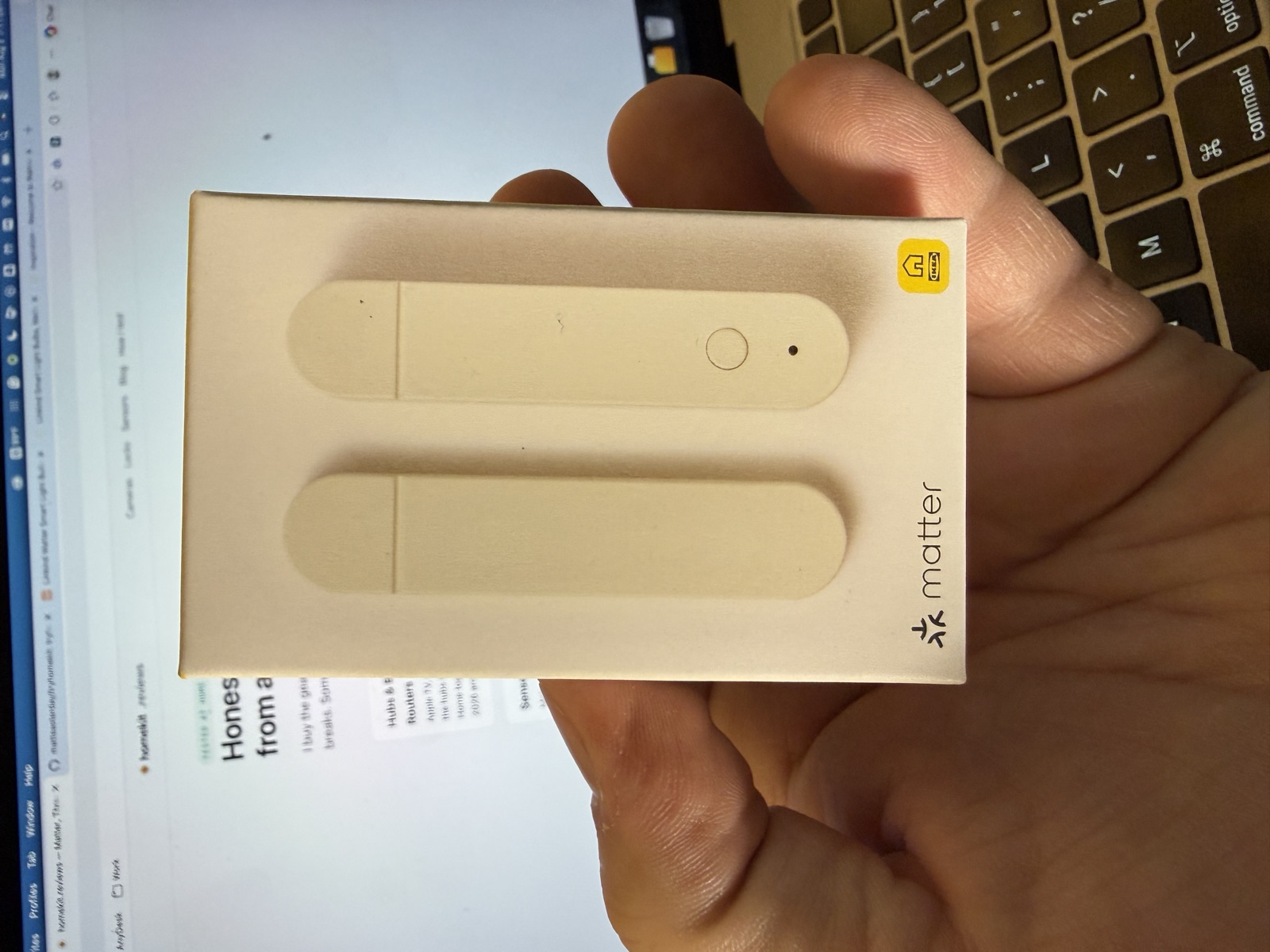
The IKEA MYGGBETT is a two-part Matter over Thread door and window sensor that runs on one AAA battery and adds to Apple Home with no IKEA hub or app. One has watched my front door for months with its battery only down to 60%; a second just went onto the garage hall door. Setup has quirks: the iPhone Camera app ignores its Matter QR code, battery access needs a pry tool, and firmware updates crawl because battery Matter devices sleep through their own downloads. I rate it 4.5 out of 5.
Jump to where to buy →What works
- Reports door state in Apple Home the moment the magnet moves
- Adds over Matter with no IKEA hub, app, or account
- Front-door unit still reads 60% battery after months of daily openings
- Neither unit has missed a state change or needed attention
What doesn't
- Battery compartment needs a flat pry tool to get into
- The iPhone Camera app will not read its Matter QR code
- Firmware updates crawl and show states that read like failures
The iPhone Camera app reads a HomeKit pairing code and opens the Home app on its own. Point it at the MYGGBETT’s Matter code and nothing happens.
That’s the first thing to know about setting this sensor up, and it isn’t in the box’s instructions, because there aren’t any. The box contains two bars with 3M adhesive on their backs, and a QR code that leads to IKEA’s app, which you don’t need. The bigger bar is the sensor, with a button and an indicator light. The smaller one is the magnet. Magnet on the door, sensor on the frame, and a molded line across the sensor’s face marks where the magnet should line up, and the alignment doesn’t have to be exact.
Power is one AAA, not included. I bought a stack of IKEA’s LADDA 750 rechargeables because most of the 2026 IKEA range feeds on them, and getting one into this sensor was the worst part of the whole experience: the adhesive back plate needs a flat pry tool to lever off, and behind it a stiff inner door with a narrow slot. A small flathead got it open.
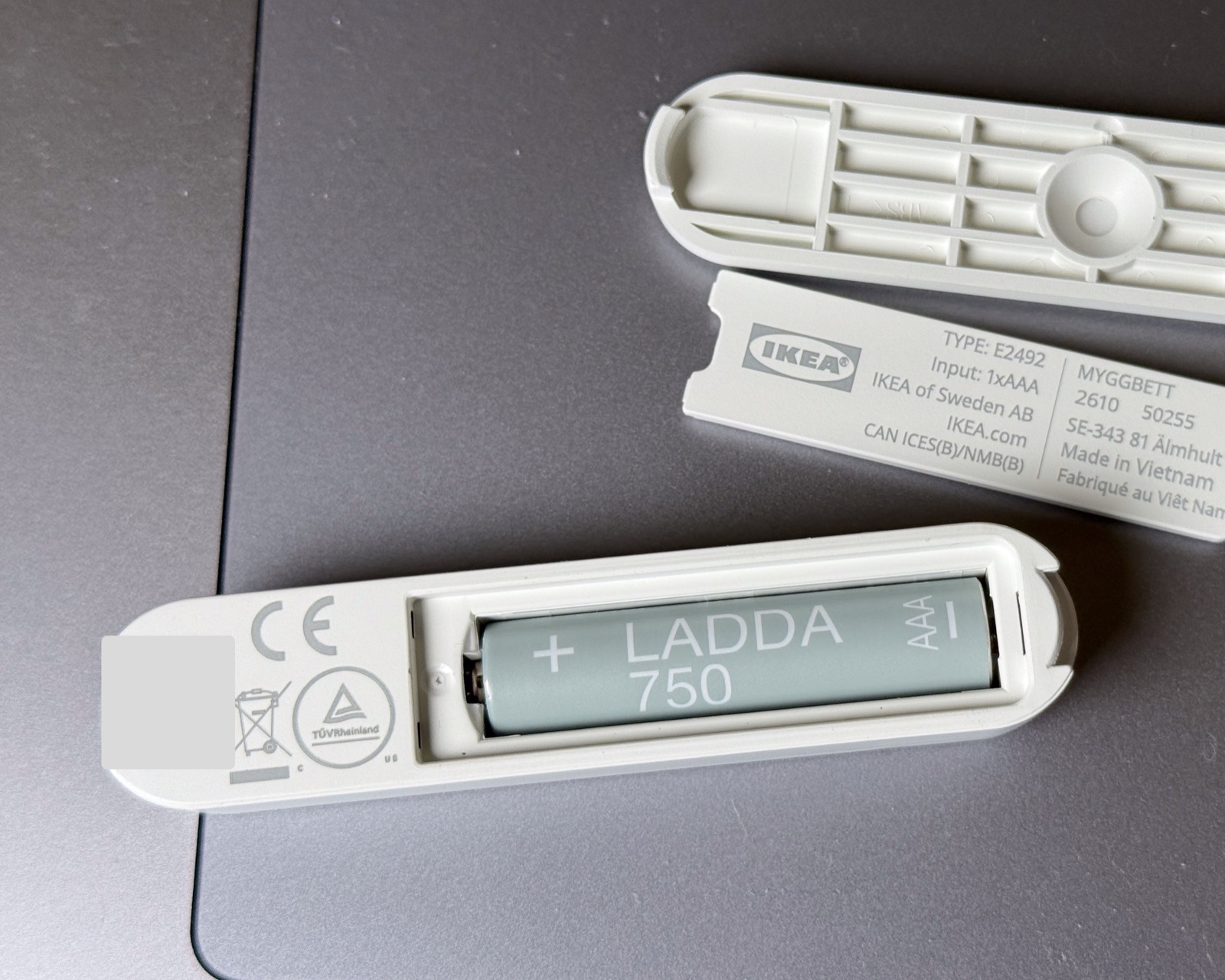
The battery lasts, at least. The unit on my front door still reads 60% after a few months of daily openings, which points at roughly a year per charge.
Adding it to Apple Home
Since the Camera app won’t do it, the route is: Home app, Add Accessory, More Options. With the battery in and the light slow-blinking, the sensor shows up on its own, and from there you can scan or type the setup code. The printed code is on the side of the device. A QR copy also hides under the 3M strip on the back, which I found only after typing the number.
One note for anyone photographing their setup: that code is the device’s pairing passcode, it works forever, and published guides blur theirs for a reason. Mine is obscured in every image here.
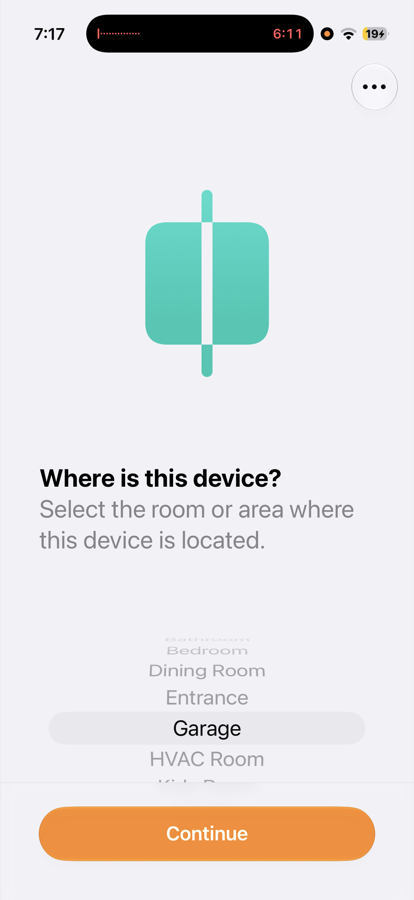
Adding took a few minutes end to end. I’m on the iOS 27 beta, and the rename bug from my GRILLPLATS setup showed up again, plus an Identify button that did nothing. Both worked normally once setup finished.
Living with it
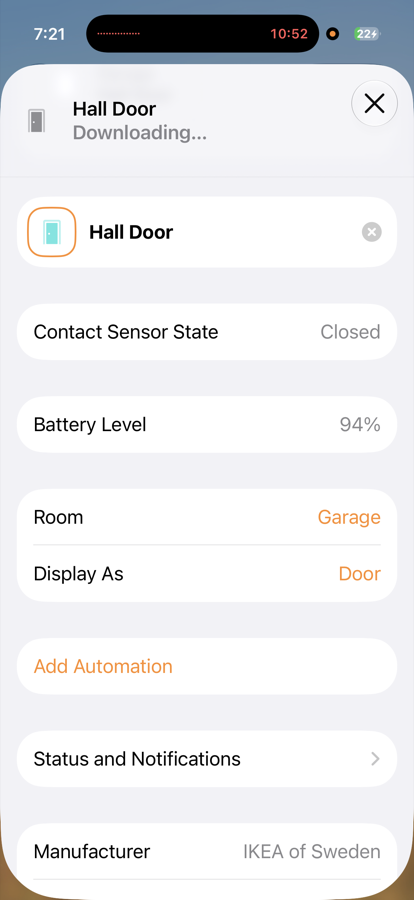
This one became Hall Door, in the Garage, and I switched Display As from Contact Sensor to Door. Do this for any contact sensor guarding an actual door: the Home app then draws a door that’s open or closed.
The indicator light gives a quick double blink each time the magnet leaves or returns:
State changes land in the app immediately. The one exception was during the firmware update.
The slow update, explained
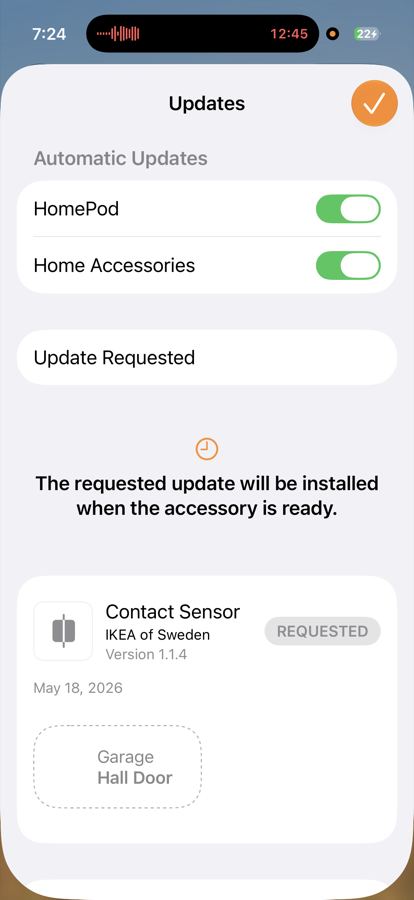
Apple Home offered an update the moment the sensor joined: 1.0.9 on the device, 1.1.4 available, dated May 18, 2026, delivered through Home Settings with no IKEA app involved. Then it crawled. A spinner with no progress figure, one apparent failure back to “Update Available,” and finally a state I hadn’t seen before: “Update Requested — the requested update will be installed when the accessory is ready.” The app also stopped reflecting the door opening and closing until the update finished.
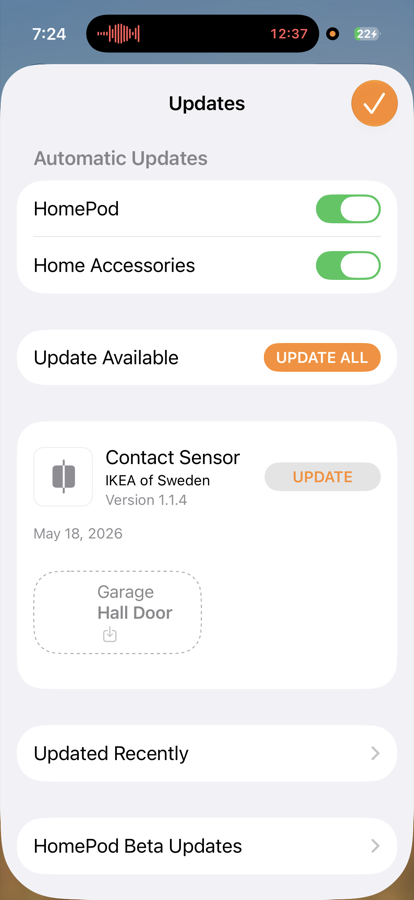
It turns out that’s just how Matter firmware reaches a battery device. Updates move over a bulk-transfer protocol, and a sensor like this is what Matter calls a sleepy device: it sleeps between events to save battery, so the transfer only advances while it happens to be awake. That’s the behavior Apple’s “when the accessory is ready” wording is describing.
Both units updated this way: slow, no progress figure, states that read like failures, and then, eventually, firmware 1.1.4. The second was even sitting close to the Thread mesh during setup and still took its time, so I can’t point at distance or anything else with confidence. I left it alone, and a few hours later it had finished on its own.
For most people this whole section describes something they will never see. Automatic accessory updates are switched on in my Home settings, so if I had not opened the update screen out of curiosity, the firmware would have arrived in the background without me knowing. If an update truly sticks, people report success moving the device nearer a border router or restarting the border router.
What to automate with a door sensor
After living with contact sensors, I use them for knowing state and getting alerts. Lights-on-open sounds clever until you walk out through the garage, turn the lights off behind you, and the door re-triggers them as you leave.
The automation I use is the away alert. Apple Home’s notifications can fire only when nobody is home, and that filter fits this door: I get a ping if the garage hall door opens while the house is empty. A door to an unconditioned space also pairs naturally with a thermostat, easing the HVAC when it’s left open. The pairing I want next is a lock, set to throw its deadbolt when the door closes. That waits on a lock being installed here.
If you do want lights on a door, gate them the way my MYGGSPRAY gates the living room: only when a light sensor reads dark, with a short auto-off.
Hands-on notes
Two units. The first is the front-door sensor from the battery reading above. It has never missed a state change or needed attention, its firmware made it to 1.1.4 after a slow update of its own, and I stopped thinking about it shortly after it went up.
The second went onto the garage hall door on August 3, 2026, as Hall Door, displayed as a Door, battery at 94% on a LADDA 750. Setup took a few minutes once I stopped expecting the Camera app to read the code. Its firmware update finished unattended a few hours after setup, and both units now run 1.1.4.
Verdict
Four and a half out of five. It reports the door’s state to Apple Home the moment it changes. The half point comes off for the battery compartment, which needs a pry tool, and for update pacing that looks broken the first time you meet it.
Where to buy, tested picks
Advertisement. These are affiliate links. Verdicts come from my own use, and anything I haven't tested is labeled as such. Buying through them costs you nothing extra.
Common questions
Does the IKEA MYGGBETT need the IKEA DIRIGERA hub?
No. It adds straight into Apple Home over Matter. It is Matter over Thread, so it needs a Thread border router such as an Apple TV 4K with a Thread radio or a HomePod, but no IKEA hub, app, or account.
Why won't the iPhone Camera app read the MYGGBETT QR code?
The Camera app auto-opens HomeKit codes but not Matter codes. Open the Home app, tap Add Accessory, choose More Options, select the sensor when it appears, and enter the setup code from there. IKEA prints the numeric code on the sensor's side and puts a QR version under the peel-off adhesive on the back.
What battery does the MYGGBETT take?
A single AAA, which IKEA leaves out of the box. IKEA's own LADDA rechargeables run it fine; months of everyday openings have drained the older of my two units only to 60%. Getting at the compartment means levering the glued-on back plate off with something flat, then working open a stiff little door inside.
Why does the MYGGBETT firmware update take so long?
Battery Matter devices sleep to save power, and the update transfer only advances while the device is awake, so Apple Home shows 'the requested update will be installed when the accessory is ready' and the download can stretch out or appear to stall. A weak Thread connection makes it slower still. The update arrives eventually with no action needed.

Runs the homekit.reviews test home, a real mixed Matter/Thread/HomeKit house. Everything reviewed here was set up, paired, and lived with. See how I test →